

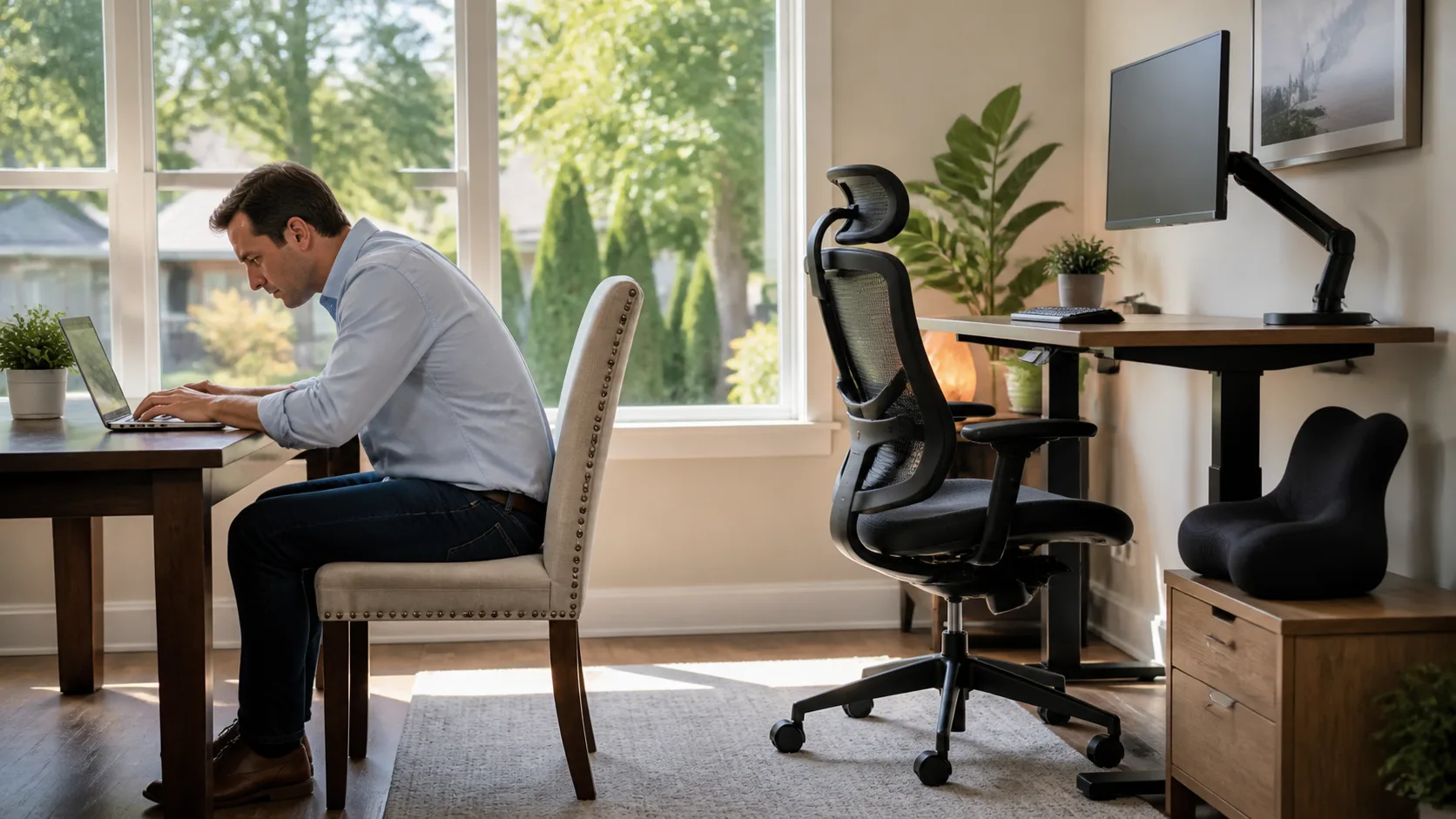
A Better Desk Setup Helps Protect Your Progress
Back discomfort can hang around when your work habits keep putting stress on the same areas being addressed during care. Hours spent leaning toward a screen, reaching for a mouse, or sitting in one position can add up, even if your desk time does not feel uncomfortable at first.
At Highland Chiropractic, we often talk with Meridian office workers, remote employees, students, and other seated workers about the role their desk setup can play in daily comfort. A few practical changes may help support your care plan between visits, but your workspace is only one piece of the picture. Personalized guidance from a chiropractor can help you connect your work habits with your individual comfort and mobility needs.
Your desk does not need to be expensive, large, or filled with special equipment. Screen height, chair support, keyboard placement, and regular movement all matter. Small adjustments can make your workstation feel less demanding on your back, neck, hips, and shoulders.
How Desk Habits Affect Back Pain Treatment Near Me
A poorly arranged workstation can reinforce strain patterns throughout the day. When you lean forward to see a screen, twist to reach items, or work with little support, your body may spend hours compensating. That can place added pressure through the back, hips, shoulders, and neck, making it harder to maintain progress from back pain treatment.
Desk-related discomfort often builds slowly. You may feel fairly comfortable when you first sit down, then notice stiffness, soreness, or reduced movement later in the day. Because the change is gradual, it can be easy to blame a busy schedule rather than the way you are sitting and reaching.
Instead of focusing on just one item, we recommend looking at your whole work area. Your chair, desk height, monitor, keyboard, mouse, feet, and daily schedule all work together. During care, we can help you identify posture and movement habits that may be working against your comfort between visits.
Screen and Keyboard Positions That Increase Strain
Screen placement is one of the most common desk setup problems we see. A monitor that sits too low may lead you to look down for long periods. One that is too high can make you lift your chin. If the screen is off to one side, you may keep your head turned without realizing it. These habits can be especially frustrating when you are also searching for neck pain treatment near me.
Try to keep your primary screen directly in front of you at a comfortable viewing height. Your goal is not a rigid pose. It is simply to reduce the need to bend, crane, or rotate your neck for long stretches.
Keyboard and mouse placement matter just as much. When either one is too far away, you may reach forward and round your shoulders. A mouse placed well off to the side can encourage repeated twisting through the upper body.
A quick workstation check may include:
- Keep the screen centered in front of you.
- Bring the keyboard close enough that your elbows can stay bent.
- Place the mouse within easy reach of your keyboard.
- Keep frequently used items, such as a phone or notebook, nearby.
Laptop use deserves extra attention. Working directly from a laptop for long periods often means looking down at the screen while keeping the keyboard close. When possible, using a separate keyboard and mouse can allow you to raise the laptop screen to a more comfortable height without forcing your arms into an awkward position.
Sitting Habits That Keep Pain Patterns Active
Even a good screen setup cannot fully make up for a chair that does not support you well. Without comfortable lower-back and hip support, you may slump, perch on the edge of the chair, shift to one side, or cross your legs for long periods. Those positions can become automatic during focused work.
Foot placement also affects the way you sit through your hips and lower back. Feet that dangle, rest unevenly, or stay tucked under the chair may encourage your body to shift and compensate. We generally encourage both feet to have steady support, whether that means adjusting chair height, desk height, or using a stable footrest.
It is also helpful to let go of the idea that there is one “perfect” posture you must hold all day. Staying frozen in any position for too long can become uncomfortable. A supportive chair gives you a better starting point, but gentle changes in position are still important.
Consider these simple reminders while you work:
- Sit back rather than hovering at the front edge of the chair.
- Keep both feet supported as evenly as possible.
- Avoid keeping your legs crossed for extended periods.
- Change positions before discomfort becomes distracting.
If you are receiving back pain treatment near me or looking for chiropractic near me, bring up the details of your workday during your visit. The way you sit, commute, use your phone, and work from home can all be useful parts of the conversation.
Build a Desk Routine That Supports Lasting Relief
Short movement breaks can be more realistic than waiting for pain to become intense and then trying to fix it all at once. Standing up, walking briefly, changing positions, or doing movements recommended by your provider can help interrupt long periods of sitting. Consistency matters more than doing one long routine at the end of the day.
A quick reset at the start of each workday can also keep small problems from becoming your normal setup. Before getting settled, take a moment to center your screen, bring the keyboard and mouse closer, support both feet, and relax your shoulders.
Your work needs may not look like someone else’s. Some people switch between a desk and meetings. Others work from a kitchen table, use two monitors, drive between appointments, or spend part of the day on a laptop. We can help you talk through those daily demands so your care plan fits your real routine.
Put Your Care Plan to Work at Your Desk
Your desk setup is part of how you support your comfort and mobility each day. Screen height, chair support, reach distance, and movement breaks may seem small on their own, yet they can reduce unnecessary strain during long work sessions.
For people searching for a chiropractor, sciatica pain relief near me, or back pain treatment near me, discussing desk habits during care can provide useful direction. The goal is not to create a flawless workstation, but to build a setup and routine that better supports the way you need to work and move each day.
Support Your Progress With Personalized Care
At Highland Chiropractic, we assess how your symptoms, movement patterns, and daily demands may affect your recovery. Get started with back pain treatment in Meridian to discuss care options tailored to your needs. Our team can help you take practical steps toward more comfortable movement throughout your day.